TV Speakers - How to Connect
External Speakers for TV

Smart TVs have many ways to connect external speakers. You can use the TV HDMI ARC/eARC port, the optical port, wireless Bluetooth and more.
Be sure to go into the TV settings and select the correct sound output and format. The default is set to use the internal TV speakers.
Optical Audio Cable Connection -
TV connect to Soundbar, powered speakers, or Audio Video Receiver
Most modern TVs have an optical audio output for digital audio.
Sometimes called SPDIF for Sony Philips Digital Interface or Toslink for Toshiba Link. SPDIF is the protocol and Toslink is the connector.
Connect a fiber optic audio cable from the TV to the external speaker which can be a soundbar, Audio Video Receiver, powered
speakers or, using a DAC (Digital to Analog Converter), to stereo amplifiers or headphones.

TV Audio Output Ports
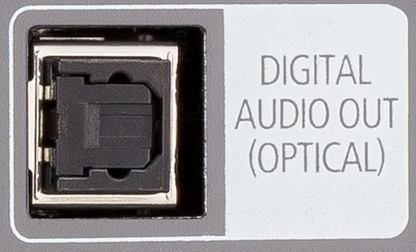
Most TVs have the optical audio output. Using this connection and a soundbar, you can connect speakers to TV.
You need a soundbar with optical input and an optical audio cable.
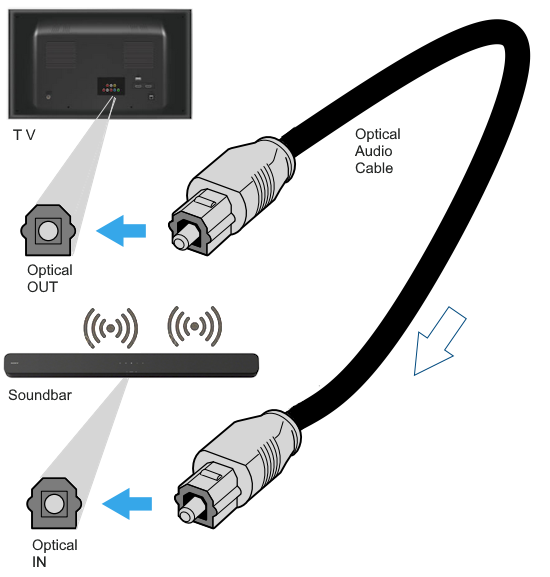
Select the optical input on the soundbar. You may need to set the TV speakers off. Go to the TV menus, then sound
and set TV speakers to off. Most soundbars have a remote control. Set the volume on the soundbar.

TV Sound Out menus - set to Optical instead of TV speakers
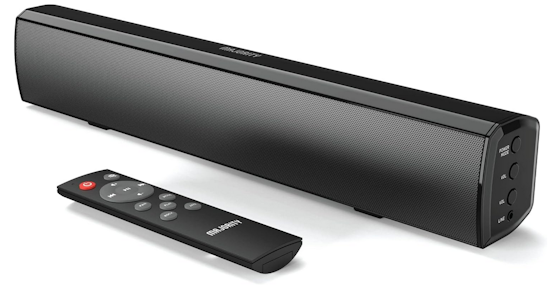
Sound Bar for Smart TV, 2.0 Bluetooth, Small Soundbar for TV and PC | AUX, RCA, Optical, USB

TOSLINK Cable, Optical Audio Cable – 6 feet Short Fiber Optic Cable for soundbars
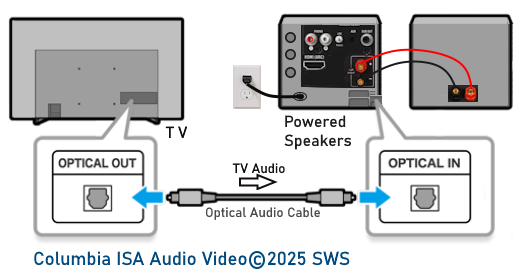
Connect TV to stereo powered speakers with optical audio cable.
Using the remote or the source button on the speakers, select the optical input on the speakers.
This may show as "D.IN" or "OPT".
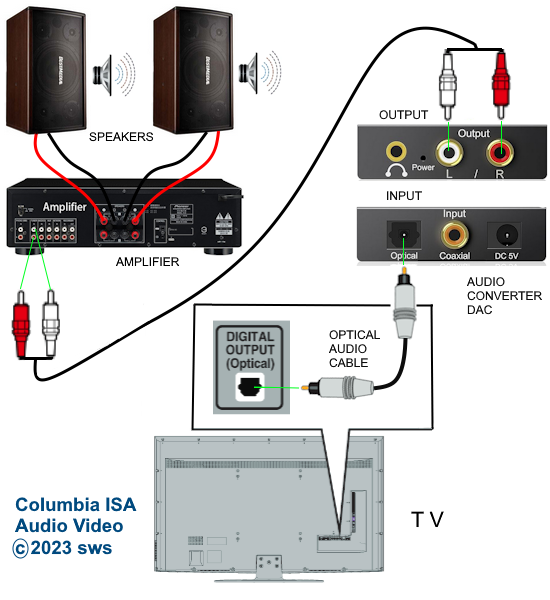
Connect to a DAC for analog output to stereo or headphones.
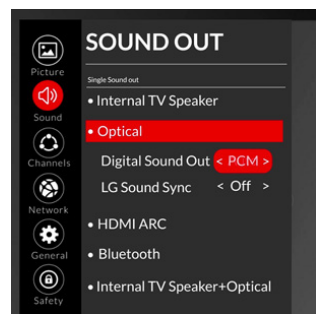
TV Settings - sound out to optical and format to PCM for stereo.
HDMI ARC/eARC Connection
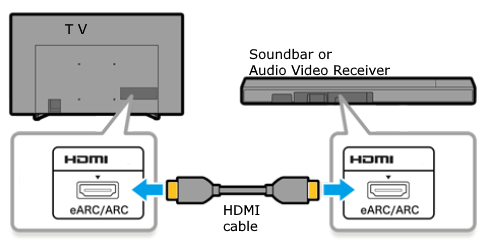
HDMI Cable from TV to A/V Receiver or Soundbar or HDMI Audio Adapter

One of the HDMI ports on the TV is indicated as HDMI ARC or HDMI ARC/eARC. This port is a two-way path, video into the TV and audio out from the TV.
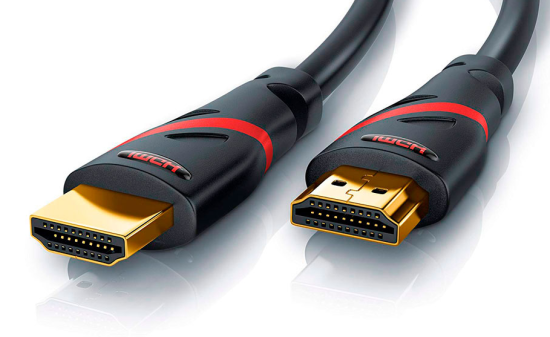
HDMI Cable
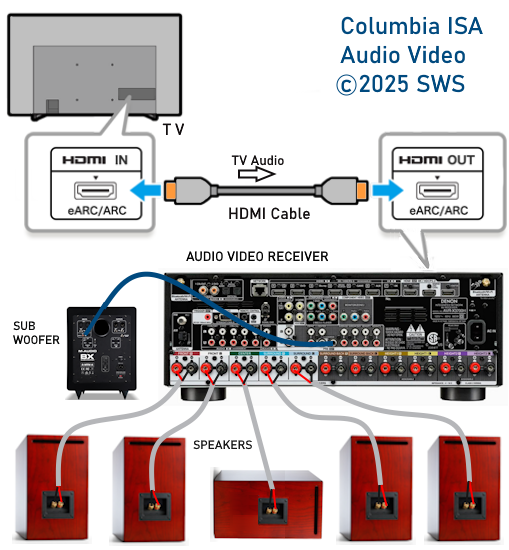
Connect TV to Audio Video Receiver for Surround Sound
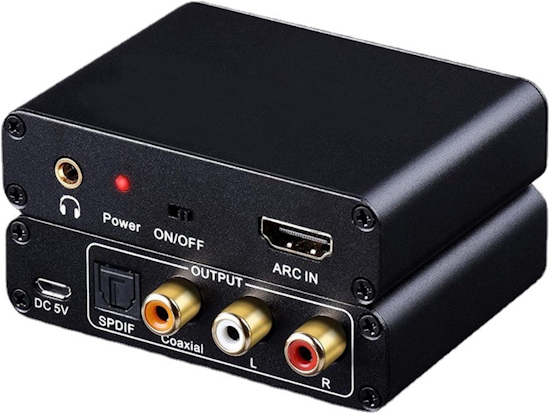
HDMI ARC Adapter

Go wireless with Bluetooth
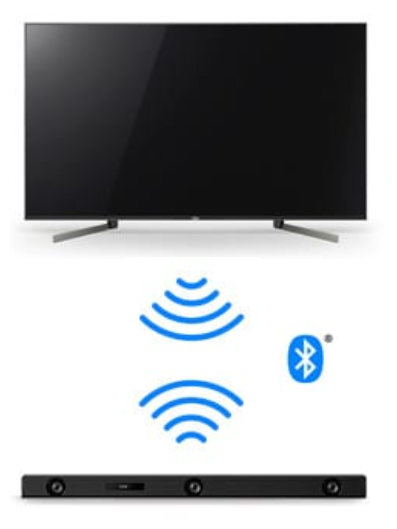
Most smart TVs have wireless built-in Bluetooth. If your TV does not, then you can add it with a Bluetooth transmitter.
Then all you need is a Bluetooth
speaker, a Bluetooth headphone, a Bluetooth capable A/V Receiver or Soundbar.
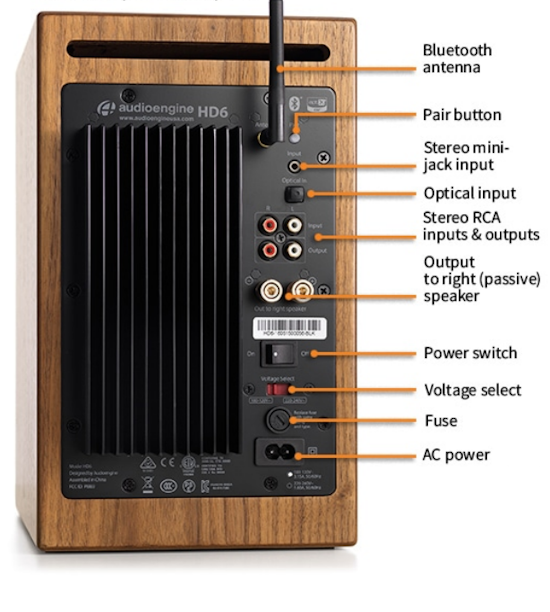
Powered Speaker with Optical, RCA, Aux and wireless Bluetooth for stereo sound.
For an LG TV, go into "Settings" on the TV and select SOUND. Select SOUND OUT. Select "Use Wireless Speaker". Select Bluetooth and the TV
will begin searching for bluetooth devices nearby. Be sure bluetooth is enabled and in "pairing mode" on the speaker device. Select
your device from the list to connect.
• TV Speaker connections
Columbia
ISA Audio Video
Empowering consumers through information.
columbiaisa@yahoo.com
SWS
|