
|
|
| Audio Video Connections / Hookups |
|
• Wiring diagrams - See over 100 hook up diagrams Audio / Video Connector and cable types VCR, DVR, Digital Cable box, Satellite, HDTV, TV, DVD, Home Theater, Audio/Video Receiver, HTIB, Converter box Analog TV Connections How to connect home video components with cables - diagrams Basic over-the-air TV reception with old TV and digital converter box 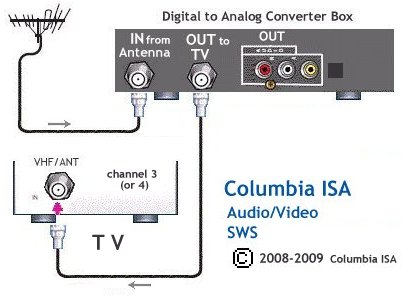 Add a VCR to record TV shows. VCR stays on channel 3 as does TV. Select channels on the DTV converter box. Playback to TV. 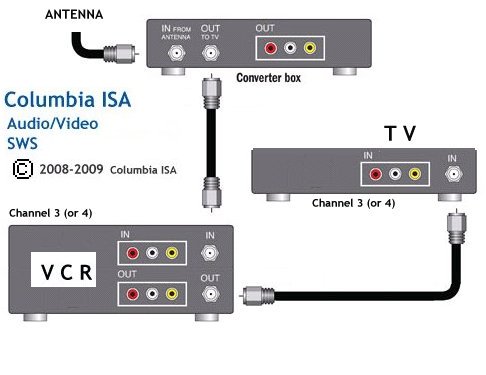  RG-6 coaxial cable Recording on a VCR while you are away (unattended or timer record) has changed since the digital TV switchover in 2009. Now you will need to coordinate both the VCR timer and the timer in the DTV converter box. 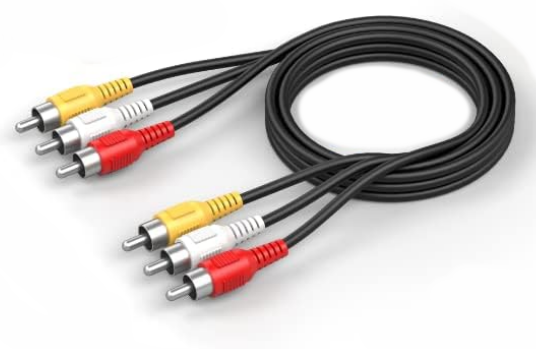 RCA analog audio/video cables  DTV box to VCR to TV connection diagram 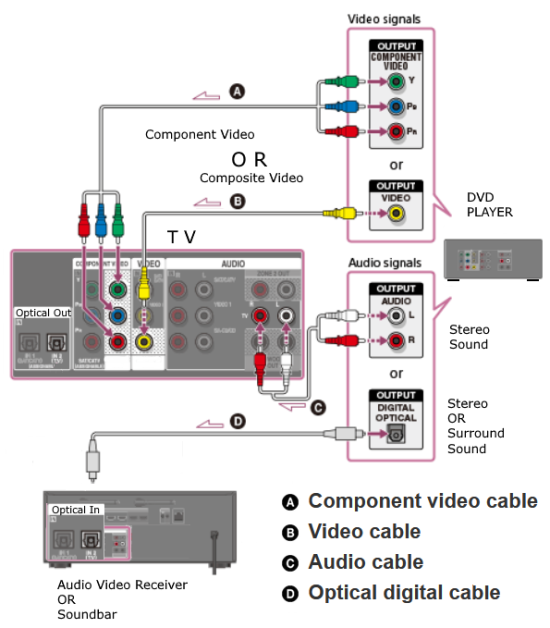 DVD player to TV connection diagram Digital TV Connections 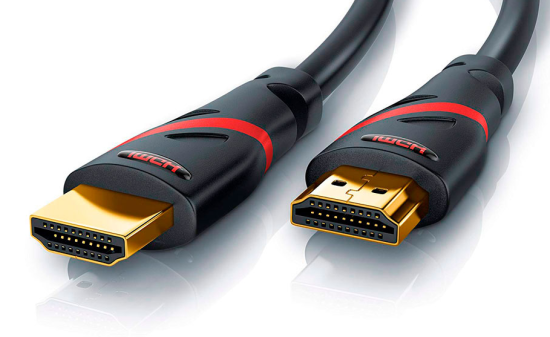 HDMI Cable Connect DVD, Blu-ray players, Cable boxes, soundbars, Audio Video Receivers to the TV with HDMI cables. 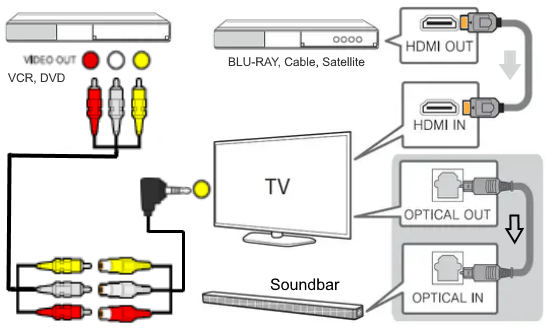 Flat screen digital TV connections 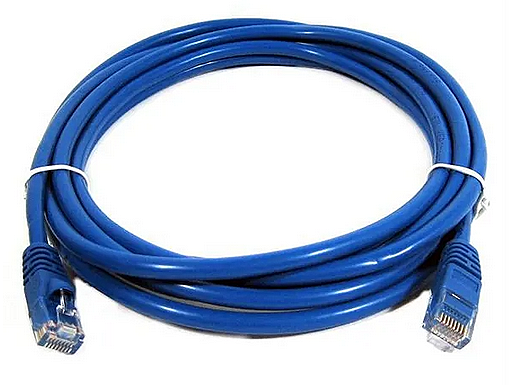 Ethernet Cable This cable can connect a Smart TV to your router for internet access for apps, TV channels and other content available from providers. Also used to load the newest software to the TV. • Internet TV 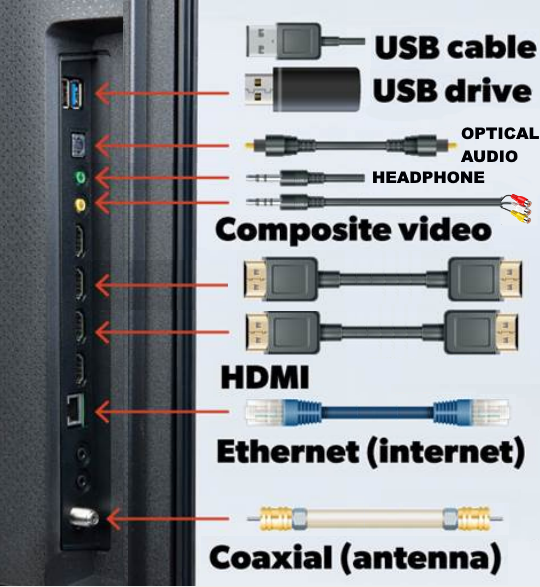 USB - Power or media files, mp3 audio, images, videos Optical digital audio OUT - stereo or 5.1 surround Headphones analog audio OUT - stereo Composite AV Input - DVD, VCR, Game HDMI Inputs - Blu-ray, Streaming device HDMI audio return channel OUT Ethernet LAN - Internet access Coaxial Input - TV antenna Built-in Wireless Wi-Fi Internet to Router/Modem Built-in Bluetooth wireless audio • DVD player to TV • Digital Cable TV box to TV • Satellite TV box and converter box to TV • Home Theater • Audio/Video Receiver Columbia ISA Audio Video Empowering consumers through information SWS |