
|
|
| Diagram
Index TV Converter box hook up - Watch one TV program, record another at the same time DIGITAL TELEVISION Do you have a television set in your home that works with the help of rabbit ears or a TV rooftop antenna? Television broadcasting has moved from an old standard known as NTSC analog to a new standard, called ATSC digital. After February 17, 2009, most television broadcasts will be all digital. After February 17, 2009, all analog televisions getting programming over the air through an antenna will need to be plugged into a television converter (DTV box) to receive digital TV broadcasts. WHO NEEDS A DTV CONVERTER BOX? 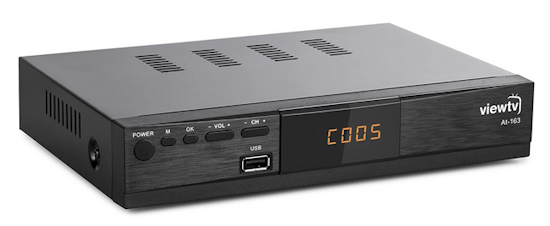 DTV converter receiver for local broadcast TV  Rear of DTV box TV antenna RF coax input on the left Coax RF output next to it The HDMI output in the center The three RCA outputs on the right A digital-to-analog converter is a device that plugs into your television set. Plugging a converter into your existing television will allow you to continue to get your programs after February 17, 2009. The converter option is not for everyone. Most people have television sets connected to cable TV, satellite TV, internet or other pay services. Converters will NOT be needed for these newer TV sets. If you have a television with a digital tuner, then you will not need a converter. An older TV set not connected to cable or satellite service is a good candidate for a DTV converter. How it works The TV converter box allows you to watch your TV programs on your old analog TV but what if you want to watch a TV program and another TV program comes on at the same time. In the old days you used a VCR to record one program while you watched the other program. Your old VCR can still be used to record TV shows. Your VCR however has to also get a converted signal, digital to analog, so it can record, because the VCR can only record in analog, not digital. Your old VCR has an analog TV tuner just like your older analog TV set. But you only have a digital TV signal coming from your antenna. What you need is a second TV converter box to tune and convert TV signals for your VCR. The antenna picks up broadcast digital TV signals and passes them to the TV converter box. The converter box provides an analog signal out for the TV (channel 3 or 4) and connects to the A/B switch, which, when in the "B" position, passes the signal thru to the TV. Set the TV on channel 3 (or 4). When in the "A" position, the switch passes the analog TV signal to the TV from the VCR. When watching TV, you will tune the channels on the converter box and select channel 3 (or 4) on the TV set. To record on the VCR, set the VCR to channel 3 (or 4) and tune the channel you want to record on the converter box. When you want to play back the TV show from the VCR, switch the A/B switch to the "A" input. The TV remains on channel 3 (or 4). 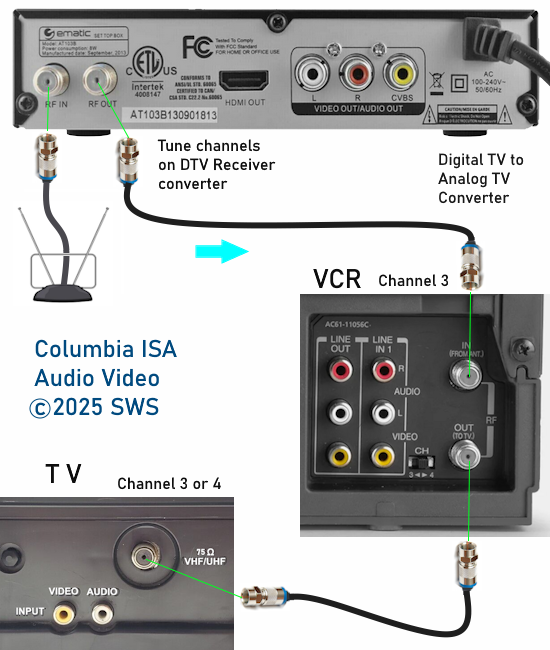 Standard recording - single DTV receiver With this configuration, you can view or record one channel. Channels are selected on the DTV box. The VCR would record channel 3 or 4. What if you wanted to record one channel while viewing another channel. You need two DTV receivers. Components: o VHF/UHF TV Antenna. Small indoor or large outdoor antenna. o Signal splitter. o Signal Amplifier o A/B switch. o Digital to analog TV converter box (2). o Four RF coaxial cables (RG-6). 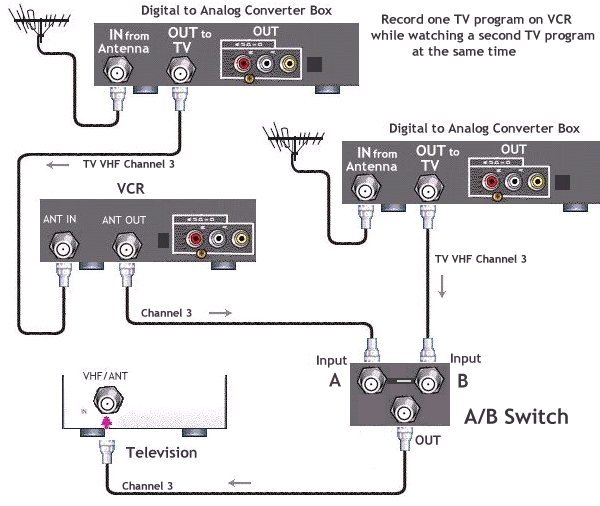
Hookup for analog TV without A/V inputs, only a single RF jack. • Recording basics A/B Switch 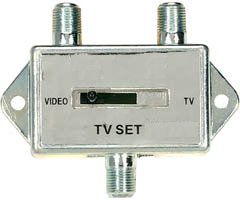 An A/B switch is a selector device that allows you to choose which signal source your TV uses at any given time. You may also find an A/B switch useful for connecting a home video-game system, or for advanced TV viewing options, such as watching one channel while recording another. A/B switches are available in a small manual type where you slide the switch to one side or the other, or a remote control type where you do not have to get up from your easy chair to flip over to the other side. Google search for A/B switch RF Splitter 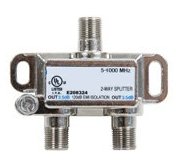 Google search for RF splitter A signal splitter will allow you to provide TV signals to multiple devices using only one source. When the source signal is split however, it is sometimes diminished in strength. RF Splitters are rated in two ways: The frequency range they are designed to handle, and the insertion loss incurred when a signal passes from the input to any of the outputs. A frequency range of 55 Mhz to 900 Mhz covers the VHF, UHF, FM, and CATV bands. The insertion loss is measured in dB. The lower the number, the better. The loss in a good splitter is around 4.0 dB per split. An average splitter has around 4.5 dB loss per split. If you only have one signal source (only one antenna) you can use an RF splitter to route the same signal to two different devices such as converter boxes. 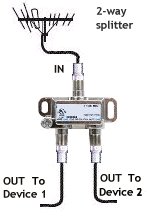 Home Depot, Wal-Mart, Amazon sell these splitters for home use. The Distribution Amplifier There are many different types of distribution amplifiers. If a passive splitter gives signal loss, then you need to boost the signal with an amp. 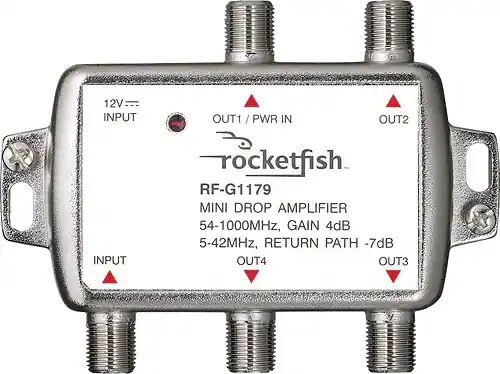 This amplifier allows you to connect multiple TVs to a single antenna. The amplifier features an LED power indicator that illuminates when AC power is active. Its impedance is 75 ohms. For power, a 12V/1A adapter with a 1.35mm internal diameter, 3.5mm external diameter, and 7mm length is recommended. This unit connects three outputs to the same input. It is possible to link two amplifiers together by running one output to the input of a second amplifier. This amplifier is designed to boost signal strength for multiple televisions connected to a single antenna. The LED indicator provides visual confirmation of power status. The device is compatible with a 75 ohm impedance. The amplifier facilitates the connection of three outputs from a single input source. Channel Master Signal Amplifier 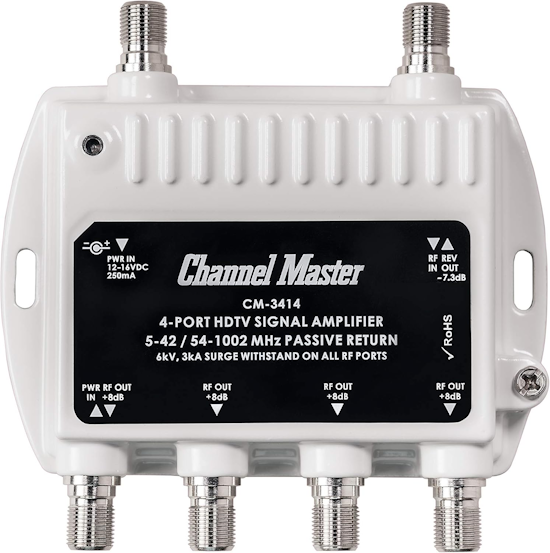 How To Connect a TV Antenna to Multiple TV Sets TV Passive Splitter or Amplified Signal Booster TV signals can lose strength when more than one TV is using the same antenna, but this can be fixed with a signal booster / amplifier. Channel Master has several popular units that split an incoming signal, boost it, and give outputs to multiple TVs. Channel Master Ultra Mini 4 – 4-Port TV Antenna Distribution Amplifier Standalone pre-amplifiers or signal boosters are also a good option when a standard splitter is used with no built-in amplifier. Sometimes both a pre-amplifier and distribution amplifier are used to boost a signal that is far away from TV broadcast towers. Connecting a distribution amplifier is the same as a splitter with an added power plug to boost the signal. The coaxial line from the TV antenna is fed into the amp along with power. Connect the antenna coaxial line to the input of the distribution amplifier or splitter. If the amplifier or splitter is a powered unit, connect the power. Connect each TV to one of the output coaxial lines on the distribution amplifier splitter. Re-scan for over-the-air TV broadcast channels.  How Can I Send a TV Signal to Multiple TVs? Using a splitter, the TV signal from the antenna is divided and can be sent to multiple TVs. Be aware that as the TV signal is split, it can become weaker and need a booster installed along with the splitter. How Many TVs Can an Antenna Support? Theoretically, there is no limit to how many TV can be used, but since the signal becomes weaker every time it is split, there are limitations. Multiple signal boosters can be used to boost the TV signal as it is split. For example, if you have three TVs, each TV can have its own dedicated booster to improve the broadcast. Do I Need an Antenna for Every TV? No, multiple TV antennas are not needed, with one antenna able to provide a signal. A TV antenna signal can be divided using a splitter and sent to multiple TVs. If a home is very far from the TV broadcast towers, a TV antenna pre-amplifier may be used along with the distribution amplifier to get an even better signal. Unattended Recording To record while away, you need to match the VCR setup with the DTV box setup. The DTV box should have a Power ON/OFF time. Enable this setting, set the time and channel. The DTV box will power on at the time entered to the set channel. Tune the channel before powering off the DTV box. On the VCR, setup a standard date/time/start/end timer recording with channel 3 (or 4) as the channel. Set the Power Off time on the DTV box. 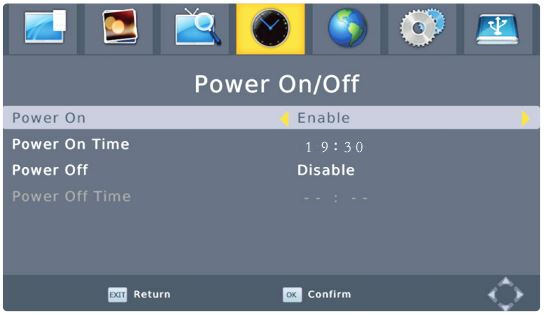 • Audio Video Cable Types • Cable Connections - hookup • How to connect DVD player • See over 50 hookup diagrams • Converter box hookup • What kind of TV do I have Columbia ISA Audio Video - Empowering consumers through information. SWS columbiaisa@yahoo.com |