
|
|
|
Home
> Hookup
Diagrams Index >
Router Modem Internet Hookup › Wiring Diagrams SEARCH *** Columbia ISA Audio/Video • Bluray/DVD surround sound connections • Bluray Basics • Digital Home Phone Modem Router Internet Hookup Diagrams How to connect your Internet Modem Router Your internet service provider (ISP) may use coaxial cable, optical fiber or radio signals to connect you to the internet. Typically, some kind of gateway will be used to convert signals for your devices. A modem or modulator/demodulator allows your digital devices to connect to the internet infrastructure. Signals are sent to you and from you, a two-way communication. Cable uses a cable modem which has a coaxial cable and an ethernet (digital electrical) cable connection while fiber uses a fiber (light signals) to ethernet (electrical signals) conversion device known as the ONT or optical network terminal. A wireless router allows multiple devices to connect, directly using ethernet or wirelesly using a built-in Wi-Fi radio transciever. 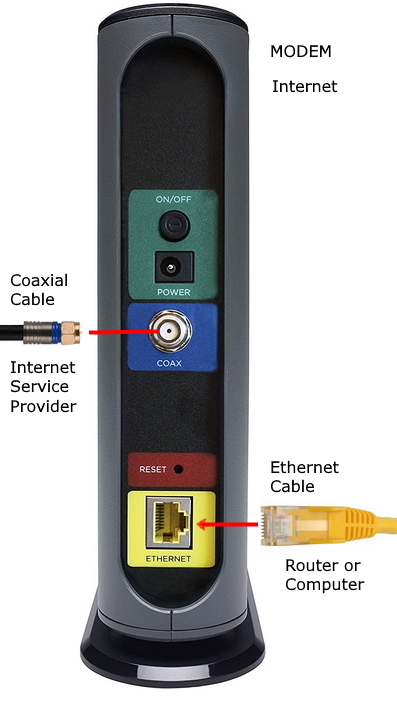 Basic internet modem connections 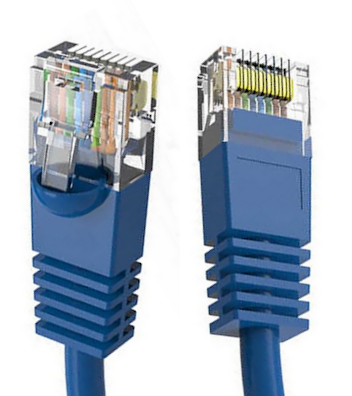 Ethernet cable (CAT-6) used to connect modem to router or computer to router 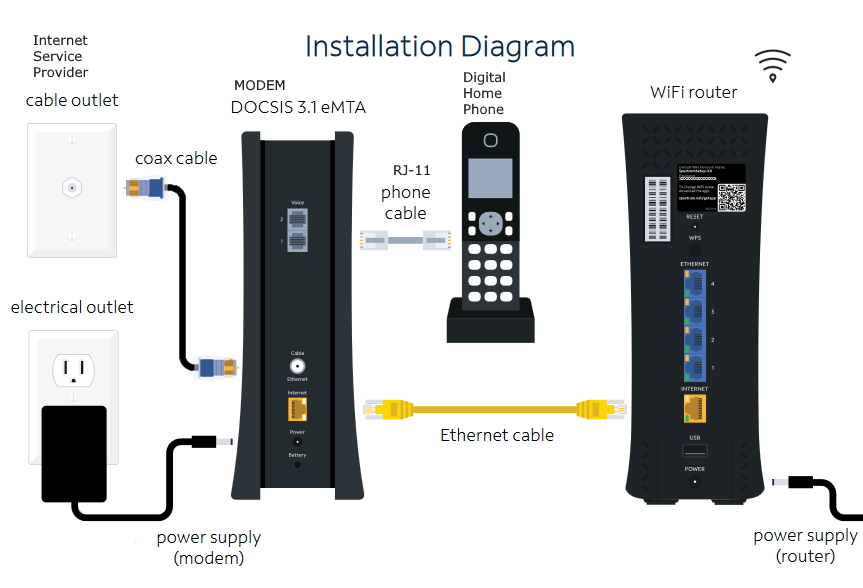 Connection diagram for modem, router and home phone 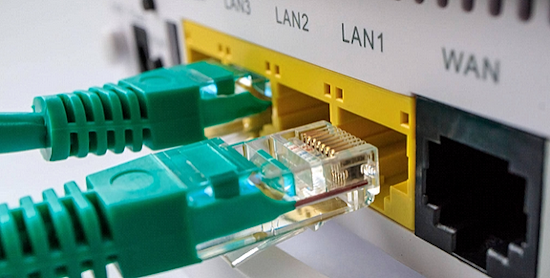 Router LAN ports connect ethernet cables to multiple devices. The WAN port connects the router to a modem or gateway while the Wi-Fi radio connects phones, laptops, computers wirelessly. Wireless routers sometimes have external antennas. 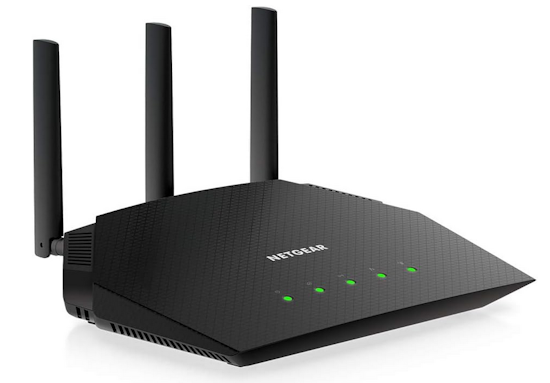 Lights on the router indicate Power, Internet connection status, Wi-Fi enabled or not and Ethernet connection status. Combo units combine the modem and router into a single unit. 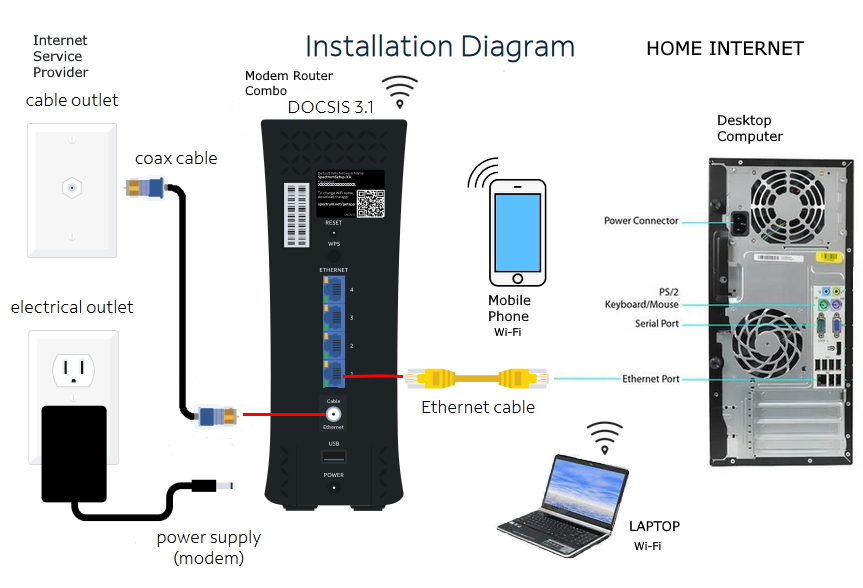 Connection diagram for combo modem router 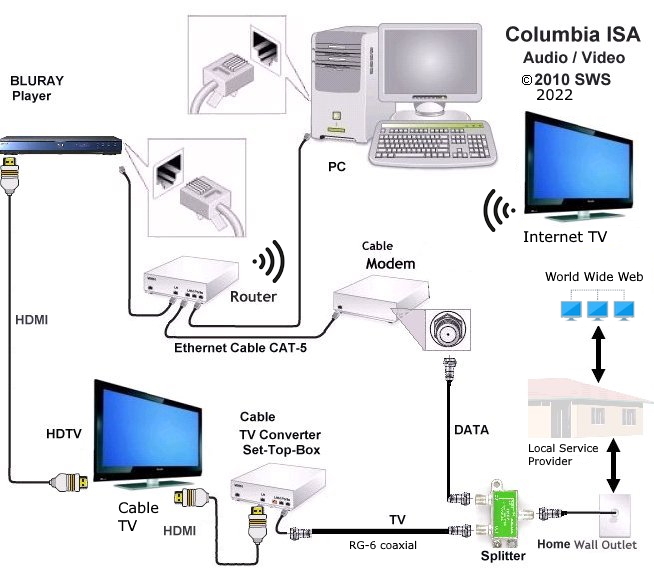 Digital Cable TV and Smart TV with home network |
|
• ROUTERS • Audio Video Connections • Tivo video recorder hookup, channel changing Columbia ISA Audio Video - Empowering consumers through information SWS |