
|
|
|
DVD VHS Combo Players DVD VHS Players |
| Search Columbia ISA |
DVD VHS • Audio Video Connections • HDTV Basic Setup DVD/VHS Players COMBO DVD/VHS These units are still available on the secondary markets but be sure you get the type you need because they come in different model capabilities. Most units are DVD play only and VCR record/play. 1. VCR record/play and DVD play only 2. VCR record/play and DVD record/play 3. No TV tuner 4. Analog NTSC TV tuner 5. Digital ATSC TV tuner 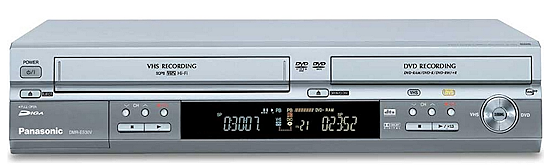 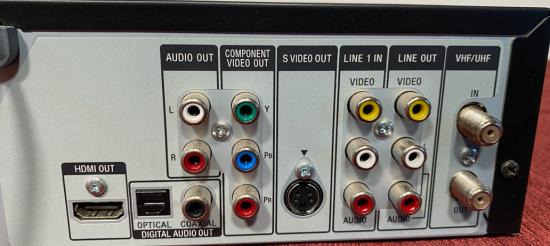 This model has a TV tuner, composite video input and output, component video out for DVD and HDMI output. VHS and DVD are standard definition, not high definition video. For those with an extensive VHS tape collection and DVD collection, a combination DVD/VHS player is ideal. These components have a VHS VCR on one side and a DVD on the other side. Here are a few tips to keep in mind when buying this type of player or recorder. TUNER: The older VCR had an analog TV tuner but combo DVD/VHS units may not have any tuner at all. If you have cable or satellite TV, this may not be an issue but if a tuner is important to you, then check to see if the unit has a digital TV tuner built in. Broadcast TV is now digital even though it uses some of the same frequencies (VHF and UHF) as the old analog broadcast TV, you need an ATSC tuner, not an NTSC analog TV tuner, in order to get today's local broadcast TV channels. RECORDER: For those wanting to convert VHS tapes to DVD, you must get a unit with DVD RECORDING capability. Many will PLAY ONLY. Check to see if your unit says DVD-R, DVD-RW, DVD-RAM for RECORDING purposes, not just for PLAY. 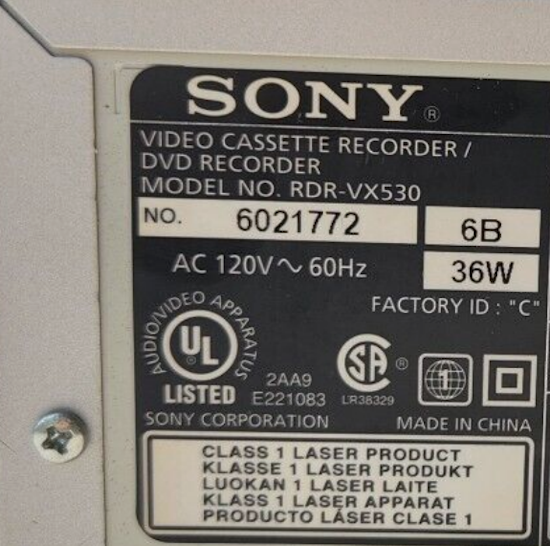 BRANDS: Top brands include Sony, Toshiba, Samsung, Panasonic and Magnavox Your device should include a remote control and owner's manual. You will need to buy blank tapes and possibly blank DVDs. Cables to connect to TV and cable boxes may also need to be purchased.  VCR DVD Combo rear This unit has VCR input to record but only play DVD or VCR 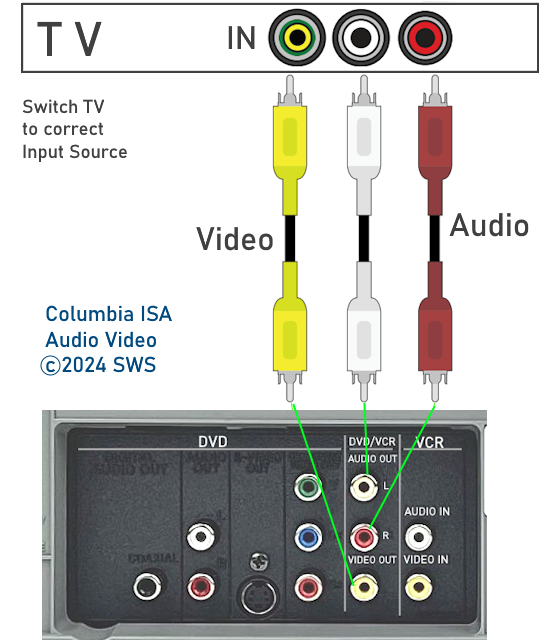 Basic hookup to TV for VCR DVD playback 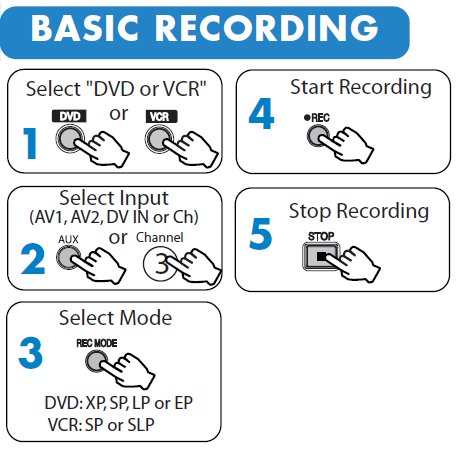 For a unit with VCR and DVD record support, follow these steps Copying VHS to DVD You generally cannot copy a commercial movie from VHS to DVD due to copyright restrictions. You can copy your own self created VHS tapes and some VHS movies. Combo units with a dubbing button indicates a unit with DVD record capability. Remember to finalize any recorded DVD when finished. Do this using the on-screen menus of the unit. Once a DVD is finalized, nothing else is recorded on the disc. Be sure to use only recordable DVDs which are compatible with your unit and any players you may use later. The DVD-R discs are the most compatible. The exact procedure to copy VHS to DVD will vary depending on the model. Panasonic DMR-EZ47 Combo unit with DVD recorder - Copy VHS to DVD Insert a blank DVD with enough space to hold the recordings Insert the VHS tape and position to the spot you want to start Select the DVD recording mode: SP or standard play, usually 2 hours or LP/EP usually 4 hours. Press the "drive select" button on the remote (VHS or DVD) On the main unit, press and hold for 3 seconds, the DVD button of the VHS DVD Copying button  Press the REC button on the remote to copy and automatically finalize when finished or press the PLAY button to copy without finalizing. If you want to cancel recording, press STOP. • Combo VCR DVD Players and Recorders • Wall Mounting HDTV - Companies, mounts • How to upgrade SAMSUNG HDTV firmware FAQ See also: • Plasma TVs - top ten things before buying HDTV • PC stereo hookup |